

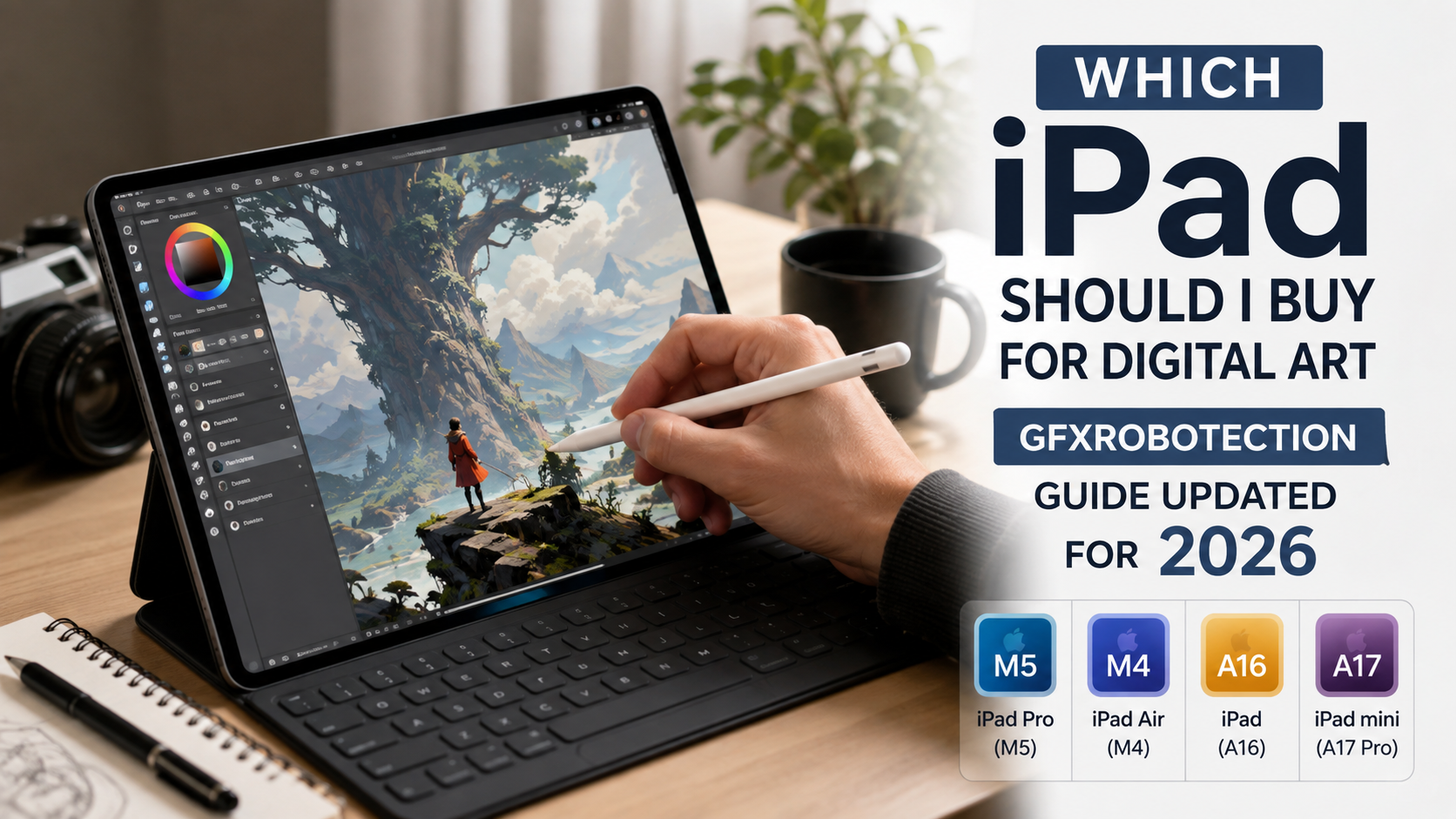
The page behind the search phrase “which ipad should i buy for digital art gfxrobotection” is an article on GFXRobotection.com, but its recommendations are no longer current. The page still describes Apple’s 2024 lineup, including the M2 iPad Pro, fifth-generation iPad Air with M1, 10th-generation iPad, and sixth-generation iPad mini.
That matters because Apple’s lineup has changed substantially since then. As of August 2026, Apple sells the M5 iPad Pro, M4 iPad Air, A16 iPad, and A17 Pro iPad mini. Apple also raised U.S. iPad prices in June 2026, so some prices shown on the older GFXRobotection article are outdated.
For most people buying an iPad primarily for digital art, the 11-inch iPad Air with M4 is the best balance of performance, display quality, portability, and cost. Artists who want the largest drawing surface and the very best screen should move up to the 13-inch iPad Pro with M5. The standard A16 iPad is the budget choice, while the iPad mini is better viewed as a highly portable sketchbook rather than a primary illustration workstation.
What Is GFXRobotection?
GFXRobotection presents itself as a technology-focused publishing platform covering areas such as technology innovations, robotics and automation, software development, gadget reviews, and practical technology applications. Its homepage says the site was founded by Lorissa Ollvain, and lists Isaac Lesureneric and Mikeric Edwardsons among its technology writers.
The specific digital-art article is credited to Isaac Lesureneric and discusses Apple Pencil support, displays, processing performance, storage, portability, and application compatibility. Its basic decision framework is useful, but the hardware recommendations and pricing were written around a 2024 product lineup.
That makes the GFXRobotection page useful as a starting point for the question, but not as a current 2026 buying list. The safest approach is to use its underlying criteria—stylus support, screen, performance, storage and portability—and apply them to Apple’s present lineup.
Which iPad Should I Buy for Digital Art in 2026?
Best Overall: 11-inch iPad Air with M4
For most digital artists, this is the model to buy.
The current iPad Air uses Apple’s M4 chip, comes in 11-inch and 13-inch sizes, has 12GB of unified memory, supports Apple Pencil Pro, and uses a fully laminated Liquid Retina display with P3 wide color, True Tone, antireflective coating and Apple Pencil hover.
The 11-inch model is particularly attractive for artists who want a substantial canvas without carrying a relatively large tablet everywhere. It is also noticeably more capable than what you would need for basic drawing, giving it plenty of headroom for large illustrations, photo work, vector graphics and other creative applications.
There is one important price wrinkle. When the M4 iPad Air launched in March 2026, Apple listed the 11-inch Wi-Fi model from $599 and the 13-inch from $799. Apple subsequently increased iPad prices in June. The current U.S. Apple Store lists the Air from $749, making the current 11-inch starting price substantially higher than the launch price.
For a serious artist who does not specifically need the Pro display, the Air remains the model I would choose first.
Best for Professional Artists: 13-inch iPad Pro with M5
The 13-inch iPad Pro is the premium choice for artists who spend many hours working directly on the screen and want the maximum amount of room.
It combines the M5 chip with an Ultra Retina XDR display using tandem OLED technology, ProMotion up to 120Hz, P3 wide color, full lamination and antireflective treatment. The screen can reach 1,000 nits of sustained SDR brightness and up to 1,600 nits peak brightness for HDR content.
The M5 Pro is also available with 12GB unified memory at 256GB and 512GB configurations, while 1TB and 2TB versions move to 16GB memory.
That is more performance than most illustrators actually need. Its biggest advantage for digital art is not simply the processor. It is the combination of large canvas, excellent OLED display, high refresh rate and powerful hardware.
The tradeoff is price. The current U.S. Apple Store lists the iPad Pro from $1,199, with the 13-inch model starting higher than the 11-inch model.
For an artist earning money from illustration, animation, design or demanding creative work, that premium can make sense. For a student or hobbyist, it is much harder to justify.
Best Budget Option: 11-inch iPad with A16
The standard iPad is the sensible choice when keeping the initial cost down matters more than having the best display and stylus experience.
The current model uses the A16 chip, has an 11-inch Liquid Retina display, True Tone and support for Apple Pencil USB-C and first-generation Apple Pencil. Apple currently lists the 128GB Wi-Fi model at $449 in the U.S.
There are compromises for artists. The display uses the narrower sRGB color space, rather than the P3 wide-color gamut used by the Air, mini and Pro. It also does not support Apple Pencil Pro.
There is another reason to be careful about the cheapest Pencil option: the USB-C Apple Pencil does not have pressure sensitivity. For serious drawing, pressure response is an important part of controlling line width, opacity and brush behavior.
The standard iPad can absolutely be used for digital art, particularly for learning, sketching and lighter illustration. It simply isn’t the model I would pick for someone who already knows they are going to spend years doing demanding digital artwork.
Best Portable Sketchbook: iPad mini
The iPad mini is a fascinating option for artists who prioritize portability.
Its 8.3-inch Liquid Retina display supports P3 wide color, True Tone, antireflective coating and Apple Pencil Pro. It uses the A17 Pro chip and weighs only about 293 grams in the Wi-Fi configuration.
The problem is not performance. The problem is workspace.
An 8.3-inch screen is excellent for quick concepts, thumbnails, visual notes, travel sketching and drawing while moving around. It is much less comfortable when an artist needs a large canvas with many panels, reference material and layers visible at once.
The mini therefore makes more sense as a portable sketchbook than as a studio replacement.
Apple currently lists the iPad mini from $599 in the U.S.
2026 iPad Digital-Art Comparison
The following comparison uses the current models and prices rather than the older 2024 lineup described on the GFXRobotection page.
Prices shown are current U.S. starting prices and can change. The recommendation is based on the needs of digital-art workflows rather than raw processor speed alone.
| Model | Starting price | Display | Apple Pencil | Best for |
|---|---|---|---|---|
| iPad Pro M5, 11″/13″ |
$1,199 | Ultra Retina XDR Tandem OLED ProMotion |
Pencil Pro | Professional artists |
| iPad Air M4, 11″/13″ |
$749 | Liquid Retina P3 wide color Fully laminated |
Pencil Pro | Best overall |
| iPad A16, 11″ |
$449 | Liquid Retina sRGB True Tone |
USB-C / 1st gen | Beginners |
| iPad mini A17 Pro, 8.3″ |
$599 | Liquid Retina P3 wide color Fully laminated |
Pencil Pro | Travel sketching |
The most important point in the table is that the cheapest iPad is not necessarily the cheapest complete digital-art setup. A serious artist also needs to consider the stylus and the characteristics of the display.
Why Apple Pencil Choice Matters More Than Many Buyers Expect
A digital-art iPad is only half of the drawing system. The Pencil matters enormously.
Apple Pencil Pro works with the current iPad Pro, current iPad Air, and iPad mini. It supports pressure-sensitive drawing and additional interaction features, while also attaching magnetically for pairing and charging.
By comparison, the USB-C Apple Pencil is positioned as a lower-cost option and lacks pressure sensitivity. That makes it perfectly reasonable for handwriting, marking up documents and basic sketching, but it is not the Pencil I would deliberately choose for professional illustration.
This is one area where the original GFXRobotection article is especially dated. Its recommendation of the second-generation Apple Pencil reflected the hardware available at the time. Current Apple Pencil compatibility is centered around Apple Pencil Pro and Apple Pencil USB-C on the current Air, Pro and mini, while the A16 iPad supports the first-generation Pencil and USB-C Pencil.
For digital art, I would prioritize Pencil Pro compatibility over saving a relatively small amount on the stylus.
Does the iPad Air Need to Be 13 Inches?
Not necessarily.
The 11-inch Air is easier to hold, carry and use away from a desk. Its display is 11 inches with a 2360×1640 resolution, P3 color, full lamination and antireflective coating.
The 13-inch Air increases the drawing surface considerably. Its display is 13 inches with a 2732×2048 resolution, 600-nit brightness and the same M4 platform and Pencil Pro support.
For artists who frequently keep references, palettes, layers or multiple windows beside their canvas, the 13-inch model makes more sense.
For an artist who draws mostly full-screen and values portability, the 11-inch version is easier to recommend.
Is the iPad Pro Worth It for Digital Art?
The answer depends on what you mean by “digital art.”
For basic illustration, the M4 iPad Air is already far beyond what most users need. Buying an M5 iPad Pro does not suddenly make a brush more accurate or improve an artist’s technique.
The Pro becomes more attractive when the workflow itself is demanding. Large documents, complex vector work, intensive multitasking, advanced graphics work and professional color-sensitive viewing all benefit from its combination of hardware and display technology.
Its OLED-based Ultra Retina XDR panel is the biggest practical advantage for visual professionals. ProMotion also allows the display to operate at refresh rates up to 120Hz, which can make pen movement feel especially fluid.
There is also a practical advantage to the 13-inch Pro: it provides a large canvas without turning into a traditional laptop-sized machine. At 579 grams, the 13-inch Wi-Fi model remains remarkably light for its screen size.
But the price is difficult to ignore. For many artists, the Air delivers most of the experience they actually use at a considerably lower cost.
What About Procreate?
Procreate remains one of the most important reasons artists choose the iPad platform.
The current Procreate version requires iPadOS 16.3 or later, meaning the current iPad lineup is comfortably above the basic compatibility requirement.
One detail many buyers overlook is that Procreate’s maximum layer count depends on both the iPad’s RAM and the dimensions of the canvas. In other words, buying a faster chip does not automatically mean an unlimited number of layers. Large, high-resolution canvases consume significantly more memory.
For artists creating print-quality illustrations, comics, detailed paintings or animation projects, this is a reason to pay attention to memory and canvas size rather than focusing only on the processor name.
How Much Storage Should a Digital Artist Buy?
Storage needs depend on how much original work you keep locally.
A small collection of sketches can fit comfortably on 128GB. The situation changes when you accumulate layered Procreate files, exported TIFFs, PSD files, reference images, videos, timelapses and other creative assets.
For a new artist, 256GB is a comfortable target. It gives considerably more breathing room than the smallest capacity without immediately pushing the cost toward the highest tiers.
Professional artists who keep large libraries on the iPad can reasonably consider 512GB or more.
Cloud storage and external USB-C storage can also be part of the workflow, so buying enormous internal storage is not automatically the best financial decision.
The Best iPad Choice by Type of Artist
Beginner
A good entry point for learning Procreate and developing drawing skills without paying for professional hardware.
Serious Hobbyist / Student
The strongest all-round combination of performance, P3 display, Pencil Pro support and portability.
Professional Illustrator
Best suited to demanding workflows where the large OLED display, 120Hz ProMotion and extra performance matter.
Travel / Concept Sketching
Small, light and Pencil Pro compatible, making it excellent for portable sketches and visual notes.
A Practical 2026 Digital-Art Setup
The best complete setup for many users is not the most expensive combination.
For a serious hobbyist or student, I would choose an 11-inch iPad Air M4, Apple Pencil Pro and 256GB storage. That gives you a high-quality P3 display, Pencil Pro compatibility, substantial processing power and enough storage for a growing creative library.
For a professional illustrator working primarily at a desk, the 13-inch iPad Pro M5 with Apple Pencil Pro is the premium choice.
For a beginner on a strict budget, the A16 iPad can work, but make sure you understand the Pencil limitations before buying the USB-C Pencil specifically for illustration.
What GFXRobotection Gets Right—and What Needs Updating
The original GFXRobotection article correctly emphasizes several factors that genuinely matter: Apple Pencil support, screen quality, processing power, storage and portability. Those are exactly the right categories for evaluating an iPad as a drawing device.
Its main weakness is that the actual model recommendations are outdated. The article identifies the M2 iPad Pro, M1 iPad Air, sixth-generation iPad mini and 10th-generation iPad as its reference lineup, then quotes prices that no longer represent Apple’s current products.
The difference is significant. Apple introduced the M4 iPad Air in March 2026 and the M5 iPad Pro in October 2025, while the current store now lists the A16 iPad and A17 Pro iPad mini as part of the active lineup.
GFXRobotection itself currently describes its purpose as technology publishing rather than as an Apple-authorized retailer or specialist hardware store. Its public pages identify the site as a technology hub and list editorial content across many technology subjects.
That distinction is important when using the site for buying advice: it is more useful as an informational article than as the definitive authority on current Apple hardware.
Updated Buying Recommendation
My 2026 Digital-Art Picks
Choose according to your actual drawing workflow rather than simply buying the most powerful iPad.
FAQ
Which iPad is best for digital art in 2026?
For most users, the 11-inch iPad Air with M4 is the best overall choice because it combines strong performance, a P3 fully laminated display and Apple Pencil Pro support without reaching iPad Pro pricing.
Is the iPad Pro better than the iPad Air for drawing?
Yes, but not necessarily enough to justify the price for everyone. The Pro adds a tandem OLED Ultra Retina XDR display, ProMotion up to 120Hz and more premium hardware. The Air is already extremely capable for illustration.
Should I buy the 11-inch or 13-inch iPad for art?
Choose 11 inches for portability and 13 inches when having a larger drawing canvas is more important. Artists who keep palettes, reference images and multiple windows open will usually appreciate the extra space.
Is the iPad A16 good enough for Procreate?
Yes. Procreate supports current iPads well within its compatibility requirements. However, the A16 iPad has a less advanced display and does not support Apple Pencil Pro, which makes it less appealing for serious illustration.
Do I need Apple Pencil Pro for digital art?
You do not strictly need it to make art, but it is the best match for the current Air, Pro and mini if pressure-sensitive drawing is important to your workflow. The USB-C Apple Pencil does not provide pressure sensitivity.
Is the iPad mini good for drawing?
Yes, especially for sketches, thumbnails and travel. Its 8.3-inch display is the limiting factor for long, detailed illustration sessions rather than the A17 Pro processor.
Final Verdict
The original “which ipad should i buy for digital art gfxrobotection” article points readers toward the right buying criteria, but its specific recommendations belong to an older generation of iPads.
In 2026, the decision is much clearer. Buy the 11-inch iPad Air M4 with Apple Pencil Pro when you want the best balance of price, portability and serious creative capability. Buy the 13-inch iPad Pro M5 when digital art is professional work and the superior OLED display, large canvas and additional performance justify the cost. Choose the A16 iPad for an affordable entry into digital art, and the iPad mini when portability is more important than workspace.
The biggest mistake is not buying the “wrong” chip. It is buying an iPad without considering the display, Pencil technology, canvas size and storage that you will actually use every day.
Also Read: AI Graphic Design GFXRobotection | What the Website Actually Is in 2026
